
E-Safety Tips
This area of the website is designed to provide information for parents. The content is designed to reflect the games, apps and websites that the children are heard to refer to at school. In our fast-paced, ever-changing digital world, it is vitally important that parents try to understand how children are engaging with it.
Age Restrictions
Please remember that apps, games and digital content often have age restrictions which we would encourage you to discuss with your child and use to make choices about the suitability for your child.
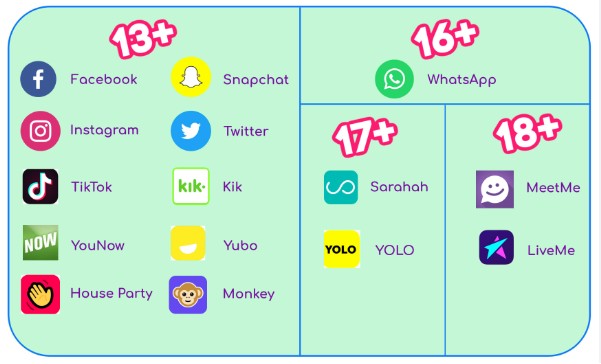
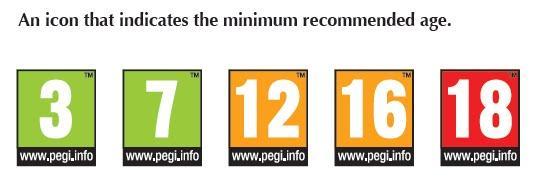
The information is about the setting of parental controls for i-pads, i-phones and games consoles. This information will be useful for parents of children who use this technology. This guidance has been taken from various sources and collated by Kym Allan HSC.
Useful Links
Internet Matters, parental controls hub: https://www.internetmatters.org/parental-controls/
UK Safer Internet Centre, parental controls advice https://saferinternet.org.uk/online-issue/parental-controls
Google Family Link, get started: https://support.google.com/families/answer/7101025?hl=en
Apple Screen Time, parental controls https://support.apple.com/en-gb/105121
Microsoft Family Safety, set-up and guidance: https://support.microsoft.com/en-gb/account-billing/set-up-microsoft-family-safety-b6280c9d-38d7-82ff-0e4f-a6cb7e659344